Puddles & Splats
Placed puddles are built from splats. A splat is a reusable puddle shape: a square heatmap of depth, from dry to deepest. You stamp splats into the scene with the Puddle Splat component, and Puddlecraft works out where each one can actually hold water.
Placed puddles fill in the rain and drain slowly afterwards (Drain Time), or never drain at all (Keep Water). They can be there before it rains, too, left over from yesterday's storm.
Wet ground and procedural puddles don't need placing. They're covered in Wet Ground & Materials.
Placing puddles
Tools > Puddlecraft > Edit Puddles in Scene switches on the Puddlecraft tools.
With Place Splat, click a surface to stamp the active splat (you choose it in the Puddlecraft overlay). Drag to set its size, and hold Shift while dragging to aim its rotation. The overlay also sets the Size used when you click without dragging, the Blend and Strength of new splats, Random Rotation and Size Jitter.
Sky Test is worth turning on while you work. It shows how much rain reaches the spot under the cursor, so you know before you click whether a puddle can form there.
With Edit, slide existing splats across surfaces and change their size and rotation with the handles.
Got a lot of ground to cover? Tools > Puddlecraft > Populate Selection with Puddles opens a window that scatters puddles for you. Select some ground objects and it places puddles over their flat, rain-exposed spots, favouring the low ones. Spacing, Density, Size Range and Seed control the scatter. Don't like the result? One undo removes the lot.
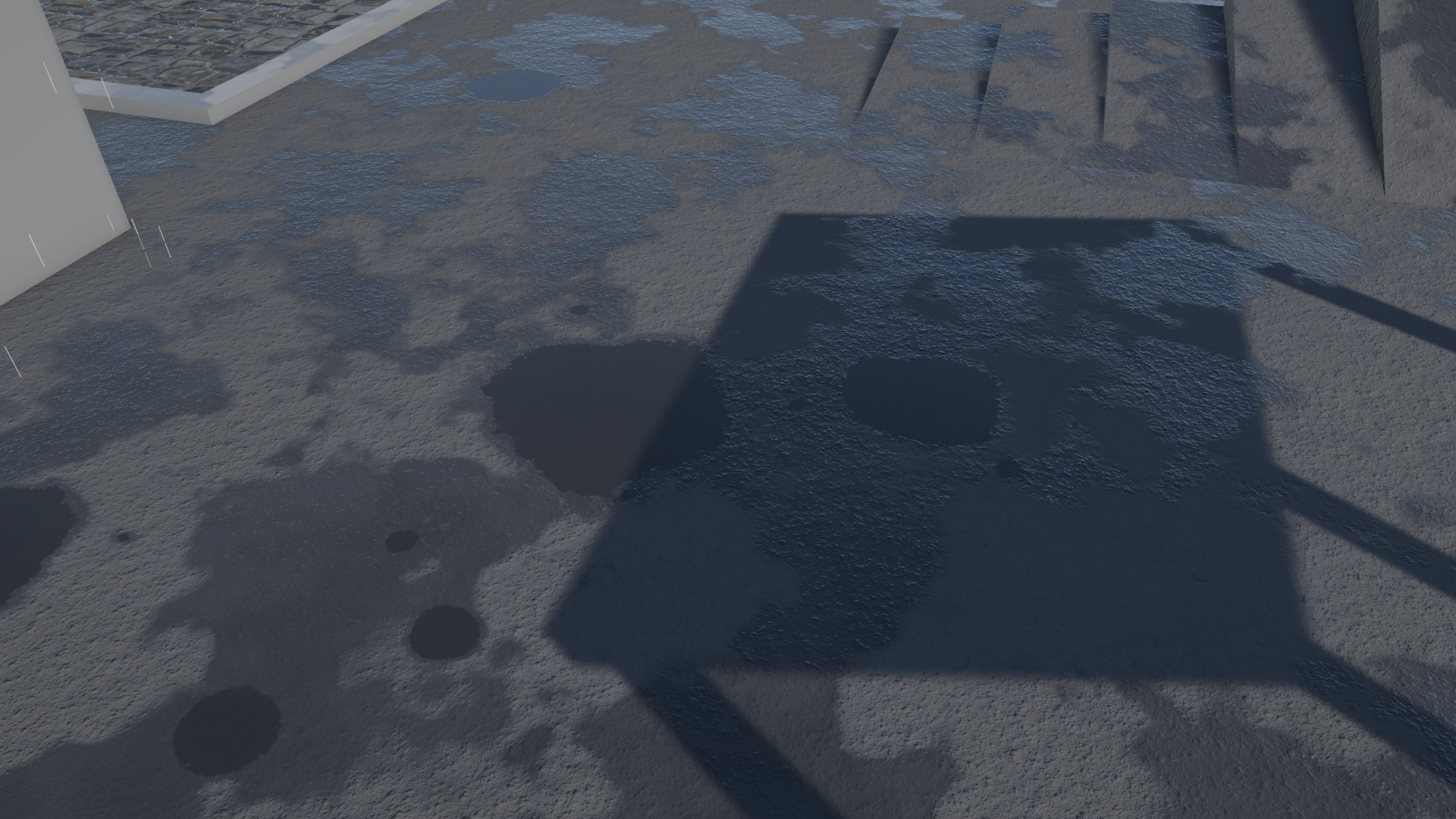
A gutter-streak splat along a kerb makes a long, narrow puddle where water gathers:
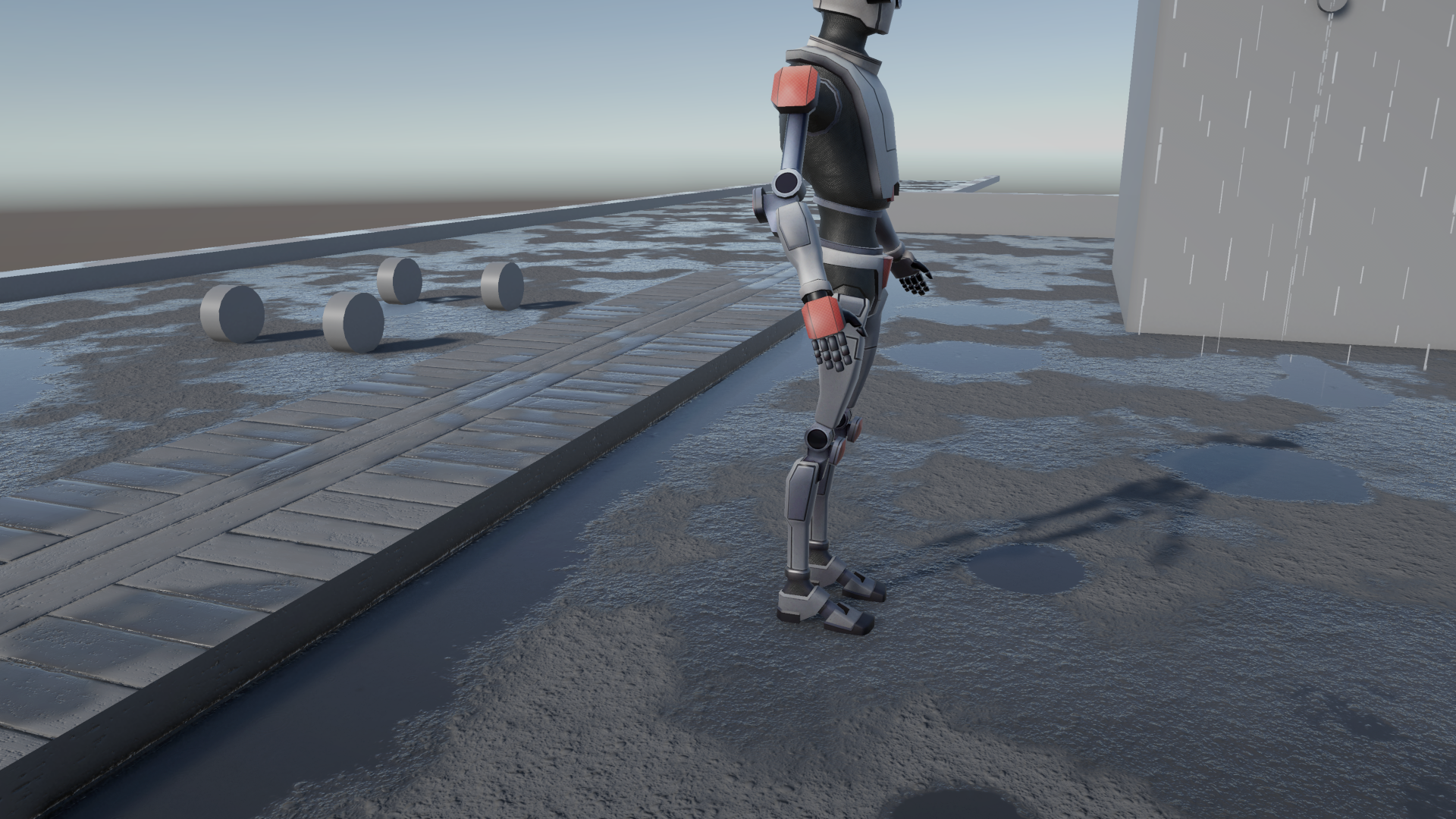
Splat outlines show in the Scene view only while the Puddlecraft tools are active or a splat is selected. Their colour tells you how a splat combines with the ones under it: blue adds, teal keeps whichever is deeper. To see the depth itself, the Heatmap button in the Puddlecraft overlay shows each splat's depth while you place them.
Baking
You never have to bake placed puddles by hand. They rebake whenever you place or move splats, and the bake is saved with the scene as long as the scene has a controller.
The bake is also where Puddlecraft decides which parts of a splat can hold water. Puddles skip:
- steep surfaces (Max Slope on the controller);
- spots that less than half of the rain reaches (Rain Angle on the controller sets where the rain comes from);
- surfaces more than 8 cm above or below the baked ground, such as walls, characters and props.
By default only renderers marked Static shape the bake. That way, something parked over a puddle while it bakes doesn't leave a dry gap once it moves. See What bakes use in Controller & Rain Presets.
The Puddle Splat component
Each placed puddle is a GameObject with a Puddle Splat component (PuddleSplatInstance). All it stores is a reference to the splat, plus a position, yaw and size. That's why moving, resizing or swapping the splat never loses anything: there's nothing baked into the instance to lose.
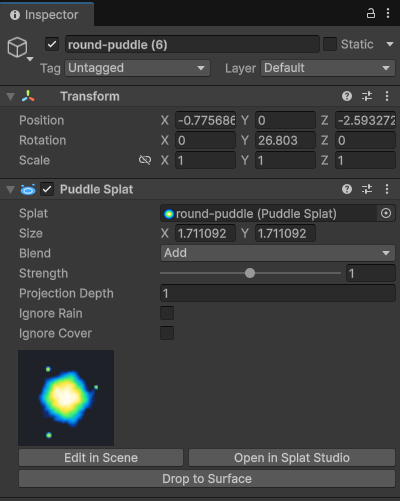
| Setting | What it does |
|---|---|
| Splat | The shape stamped here. |
| Size | Width (X) and length (Z) in metres. |
| Blend | Add adds depth, so two weak splats make a strong one. Max keeps whichever splat is deeper. |
| Strength | Multiplies the splat's depth, 0 to 2. |
| Projection Depth | How far above and below its position the splat reaches, in metres. Splats always project straight down. |
| Ignore Rain | Always full, whatever the weather: the puddle doesn't fill in the rain or drain when it stops. |
| Ignore Cover | Holds water under roofs too: the bake keeps the parts of the puddle that rain can't reach. |
Indoor puddles
Tick both Ignore Rain and Ignore Cover for a puddle that's there whether it rains or not, like a leak on a warehouse floor. The Demo sample has one inside the building.
Otherwise it behaves like any other puddle. Footsteps, wheels, drips and spouts still make ripples in it, and puddle queries and Puddle Ripple Emitters find it. The one thing it won't get is raindrop rings, since those only appear where rain falls. Both settings take effect when the puddles are baked.
Inspector buttons
Edit in Scene switches on the Puddlecraft tools. Open in Splat Studio edits the shape, and every instance using it updates. Drop to Surface moves the splat down (or up) onto the surface below it.
Splat Studio
Tools > Puddlecraft > Splat Studio is where splats are made and edited. The list on the left shows every splat in the project. The middle shows the selected splat's heatmap from dry to deep, next to a preview of it as a puddle on the ground.
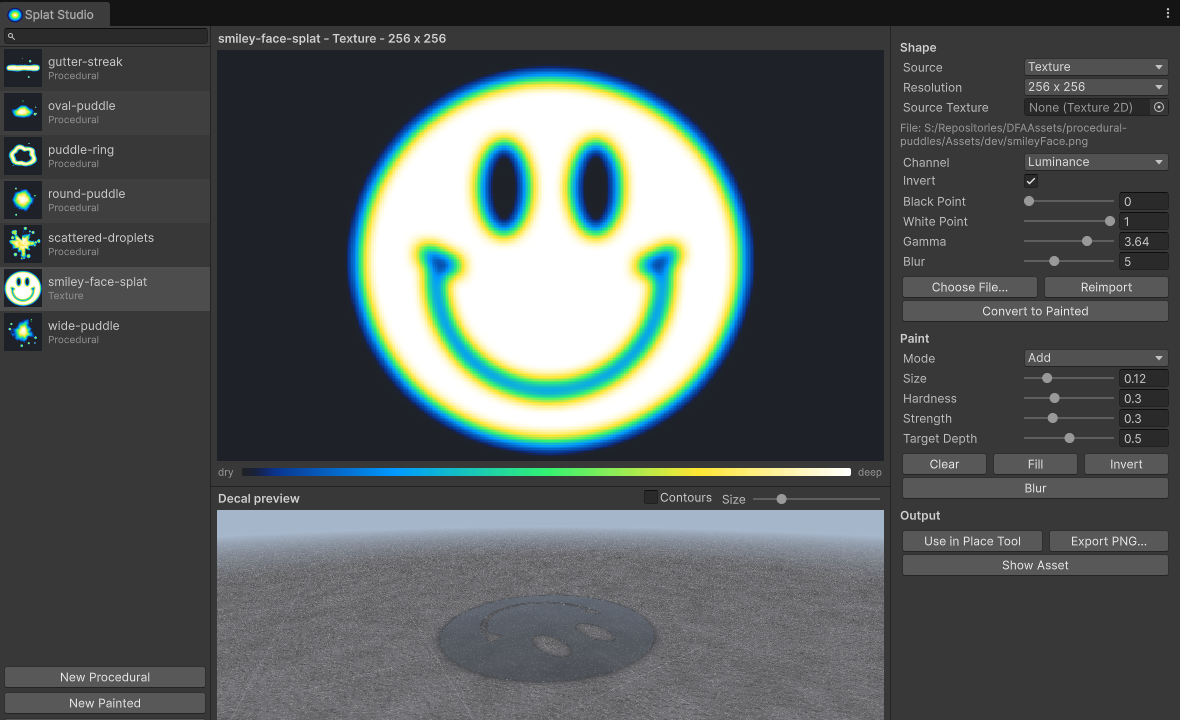
A splat's shape comes from one of three sources:
| Source | How it works |
|---|---|
| Procedural | Generated from settings such as shape (blob, ellipse, streak or ring), seed, lobes, noise and erosion. Change a setting and the shape regenerates. |
| Texture | Imported from an image. Pick the channel, then shape the result with invert, black point, white point, gamma and blur. |
| Painted | Painted by hand in the Studio. The brush can add, erase, smooth or set depth (hold Ctrl to erase); Clear, Fill, Invert and Blur work on the whole splat. |
You're not locked into a source. Convert to Painted, or just painting on a splat, turns it into a painted one, so you can generate a shape procedurally and then touch it up by hand.
The splats that come with the package are read-only. To change one, Duplicate to Assets copies it into your project first.
Under Output, Use in Place Tool picks the splat for placing, Export PNG... saves the heatmap as an image, and Show Asset selects the splat in the Project window.
You can also make new splats straight from the menu:
- Tools > Puddlecraft > Create > Procedural Splat
- Tools > Puddlecraft > Create > Painted Splat
- Tools > Puddlecraft > Create > Splat from Selected Texture
- Tools > Puddlecraft > Create > Splat from Image File...
Limits
- In Materials mode, placed puddles only show in a square around each camera, set by Wetness Map Area on the renderer feature (48 m by default). Wet ground and procedural puddles have no such limit.
- The map holds one layer of placed puddles. Where puddles sit at different heights over the same spot (a bridge over a road, say), the one closer to the camera's height wins.