Wet Tracks
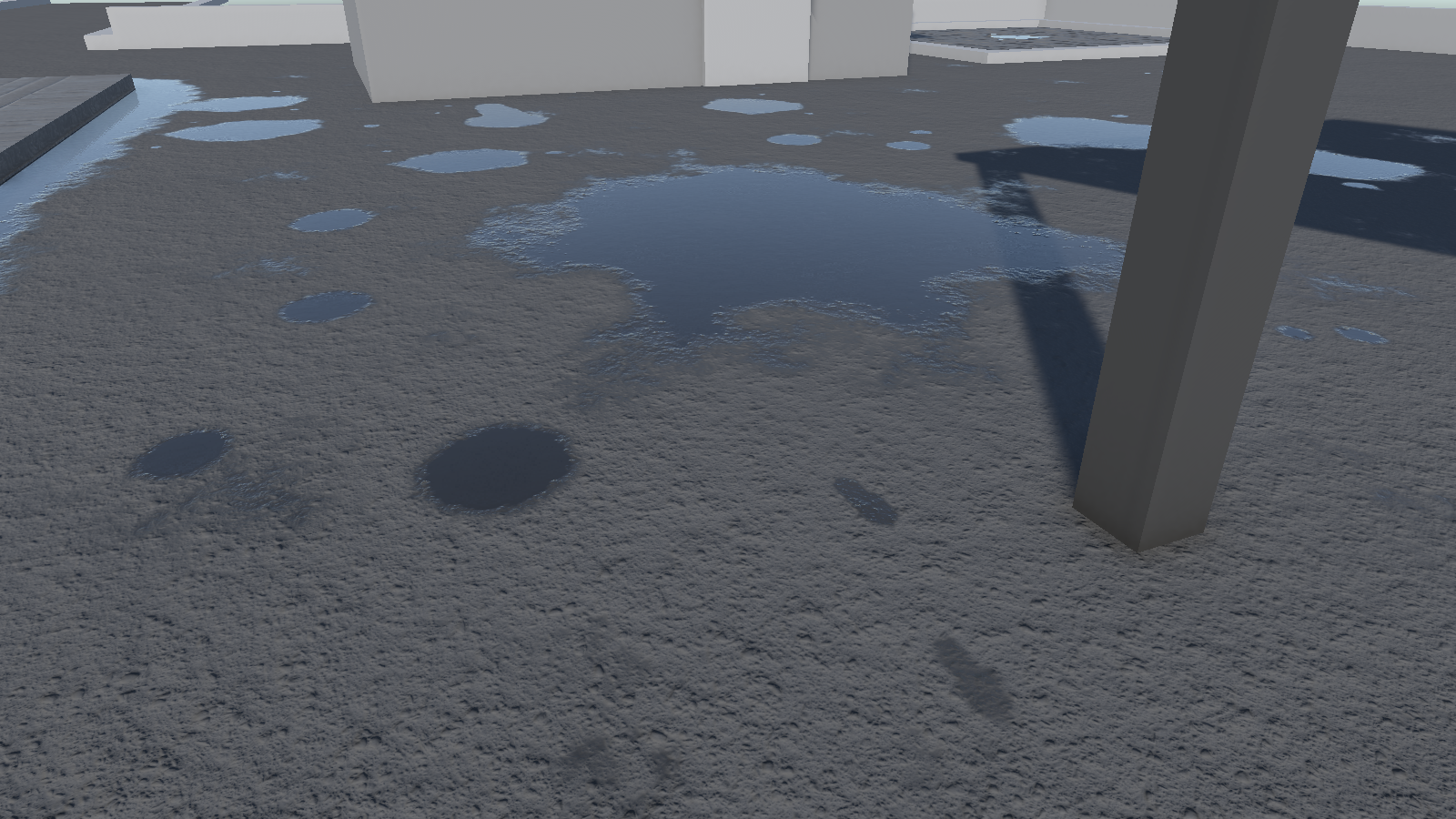
Step out of a puddle onto dry pavement and you leave wet footprints. Drive through one and the tyres leave a trail. Puddlecraft does both. Tracks dry from their edges in and get patchier as they go, so a trail fades out behind a character or a car the way real ones do.
How they look
- Materials shading: tracks become one more kind of wet ground in Puddlecraft materials (Puddlecraft/Lit (Wet), the Shader Graph node and the HLSL function). A track darkens and glosses the surface the same way rain does, and merges with wet ground and puddles. Walk out of a puddle in the rain and the footprints vanish into the wet street. Materials that don't use Puddlecraft stay dry, as they do for rain.
- Overlay shading: tracks are drawn over the finished image as decals, projected onto the scene depth. They darken the ground and add a little reflection from the reflection probes.
- Only where they were left: a track only shows within 8 cm of the ground it was left on, following slopes, so a roof above or a floor below stays dry.
- Two levels: with Materials shading, tracks are drawn into a top-down map around each camera (24 m across) that holds one height per spot. A track left over or under another one at a different height (a bridge over a road, a balcony over a street) is drawn as a decal instead.
- Under cover: rain cover doesn't affect tracks, so they show under roofs, in arcades and indoors.
Drying
A fully wet track lasts dryTime (40 s by default), and drier ones go sooner. It dries from the edges in, so a footprint shrinks to the centre of the sole before it disappears.
Up to Capacity tracks (4096) are kept at once. Leave more than that and the
oldest go first. PuddlecraftTracks.Clear() removes them all, which is handy when a level restarts.
Leaving tracks from scripts
PuddlecraftTracks has two calls:
| Call | Leaves |
|---|---|
Stamp(heel, toe, width, wetness) |
A footprint between two points on the ground. Give each end its own ground height so the print follows a slope. |
AddTrail(from, to, width, wetness, distance) |
A stretch of tyre track. distance is how far the wheel has rolled at from, so the tread pattern carries on from one stretch to the next. |
wetness runs from 0 (nothing) to 1 (straight out of a puddle). Both calls are cheap: they write a few numbers into a
list that's drawn once per camera. Leave a footprint once per step, and a tyre track every 20 to 30 cm.
Integrating characters and vehicles
Tracks need to know two things: when a foot or tyre got wet, and how much water it's still carrying. A Puddle Ripple Emitter on the foot or wheel already handles the first part. Its On Enter Puddle event fires when it touches standing water, placed or procedural, and tells you how deep the water is.
Footprints. Fill the foot up with water on On Enter Puddle. Then, every time the foot comes down on dry ground, leave a footprint and use up some of the water. The demo keeps 72% per step, so a trail fades out over six to eight steps.
That leaves the question of when a foot comes down. There are two ways to tell:
- Animation events: if the walk and run animations already call a footstep event (as Unity's Starter Assets do), stamp from there.
- Foot height: watch the foot bone and treat it as planted when it comes down close to the ground after being lifted.
This works with any animation and any rig, with no events to set up. The Demo sample's
DemoWetFootprintsdoes this: add it next to the Animator of a humanoid character, and give each foot a Puddle Ripple Emitter.
Tyres. Wire the wheel's Puddle Ripple Emitter to the tyre script: On Enter Puddle fills it with water, and On Exit Puddle starts the track. From then on, lay a short stretch of track under the wheel every 20 to 30 cm, fading out with distance (the demo's tracks are gone after about 14 m).
The Demo sample's DemoWetTyreTracks does exactly this. Add it to each wheel, next to its emitter, and hook up the two
events in the inspector. It finds the ground with a raycast that ignores the vehicle's own colliders.
Anything else. A dog, a bicycle, a dragged sack: anything that touches water can call Stamp or AddTrail. If it
doesn't carry an emitter, query the ground under it with PuddleQuery to find out whether it's
in standing water.
A minimal tyre:
using DFA.Puddlecraft;
using UnityEngine;

public class WetTyre : MonoBehaviour
{
    public PuddleRippleEmitter emitter;
    public float width = 0.18f;
    float m_Water, m_Rolled;
    Vector3 m_Last;

    void OnEnable() => emitter.onEnterPuddle.AddListener(Soak);
    void OnDisable() => emitter.onEnterPuddle.RemoveListener(Soak);
    void Soak(PuddleHit hit) => m_Water = 1f;

    void LateUpdate()
    {
        Vector3 contact = transform.position - Vector3.up * 0.3f;
        float step = Vector3.Distance(contact, m_Last);
        if (!emitter.inWater && m_Water > 0.05f && step > 0.25f)
        {
            PuddlecraftTracks.AddTrail(m_Last, contact, width, m_Water, m_Rolled);
            m_Water *= Mathf.Exp(-step / 5f);
            m_Rolled += step;
        }
        if (step > 0.25f || emitter.inWater)
            m_Last = contact;
    }
}
Cost
Nothing at all while no tracks are drying. Otherwise, with Materials shading, every track is drawn into the 24 m map around each camera in one call (1536 texels a side on the High quality tier, 9 MB; 512 on Medium and Low). Decals, for Overlay shading and tracks on a second level, are one more call.
Limits
- The map covers 24 m around each camera, pushed a quarter of the way ahead of where it looks. Tracks beyond it don't show with Materials shading.
- In the rain, wet ground hides tracks, because they're no wetter than the ground around them.
- Decals don't add the gloss that merged tracks get from the material's own lighting. They darken the ground and reflect the reflection probes, and that's it.